Real-time multi-pass DLSS 5 picture processing and FLOW multi-frame generation for games and browser video – on top of what you already play and watch.
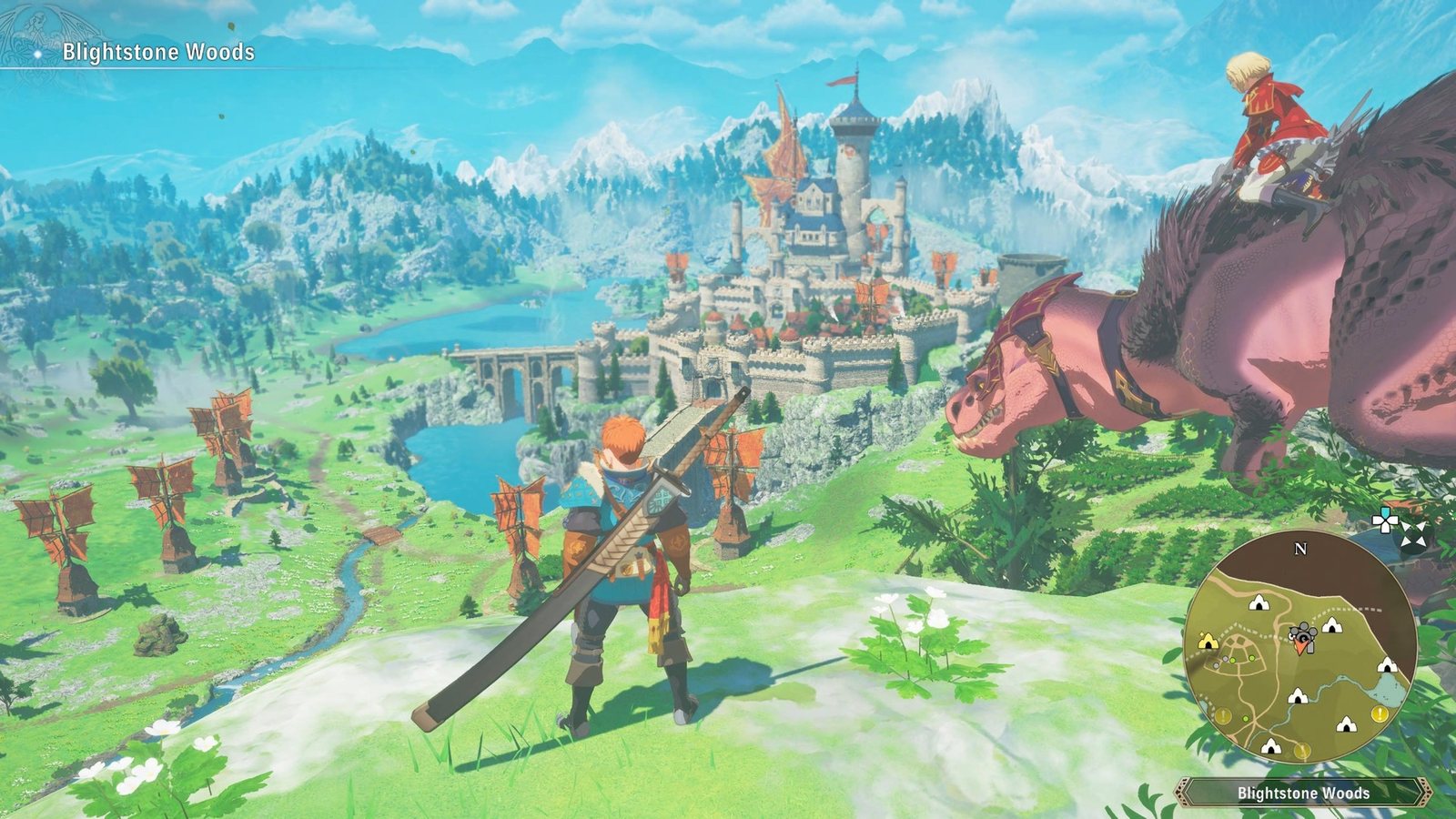
Same frame, same window. On the right Live Flow's multi-pass DLSS 5 processing.
Game screenshots for illustration. Results depend on your GPU, display and game.
Pick a game window or a whole display. Live Flow works as an external layer, so it needs no game integration and no native DLSS support.
Point it at a video tab and the same processing applies – films, streams and clips get the same enhanced picture.
Add passes while you watch. Change the look instantly – no restart, no export.
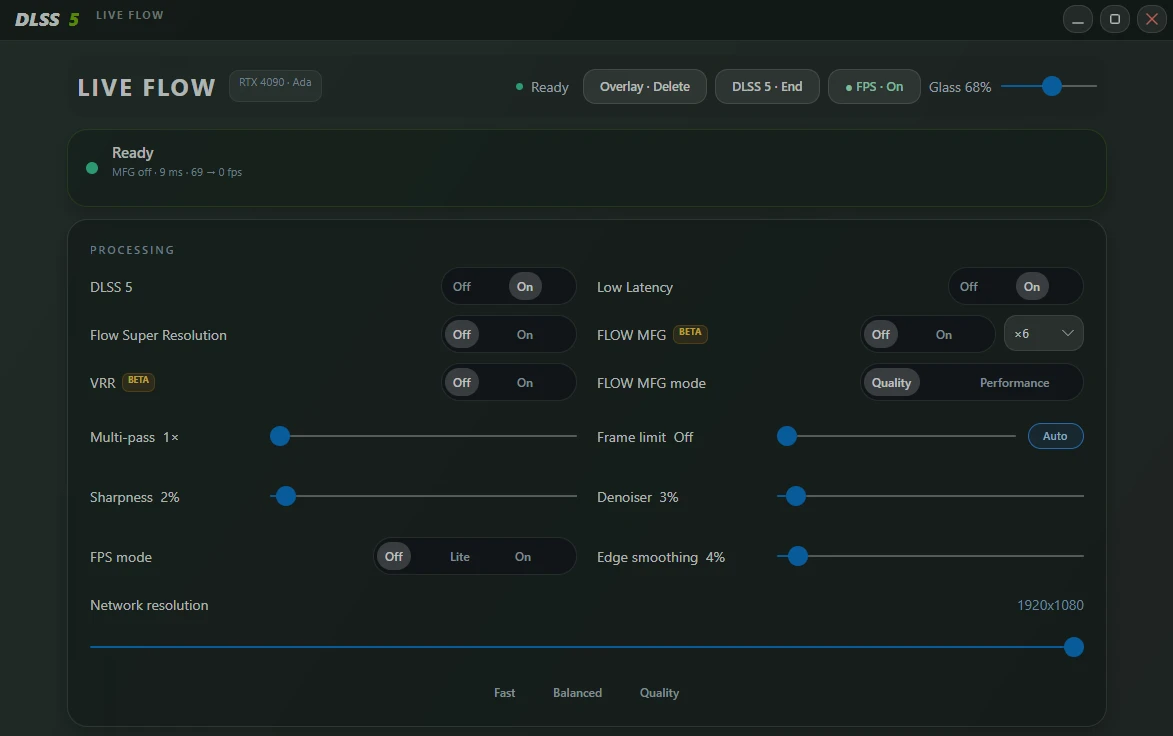
NVIDIA Optical Flow based motion estimation generates the in-between frames, with an automatic frame limit for even pacing.
Brightness, contrast, saturation and warmth, plus DLSS 5 intensity, local tone, local structure and skin structure.
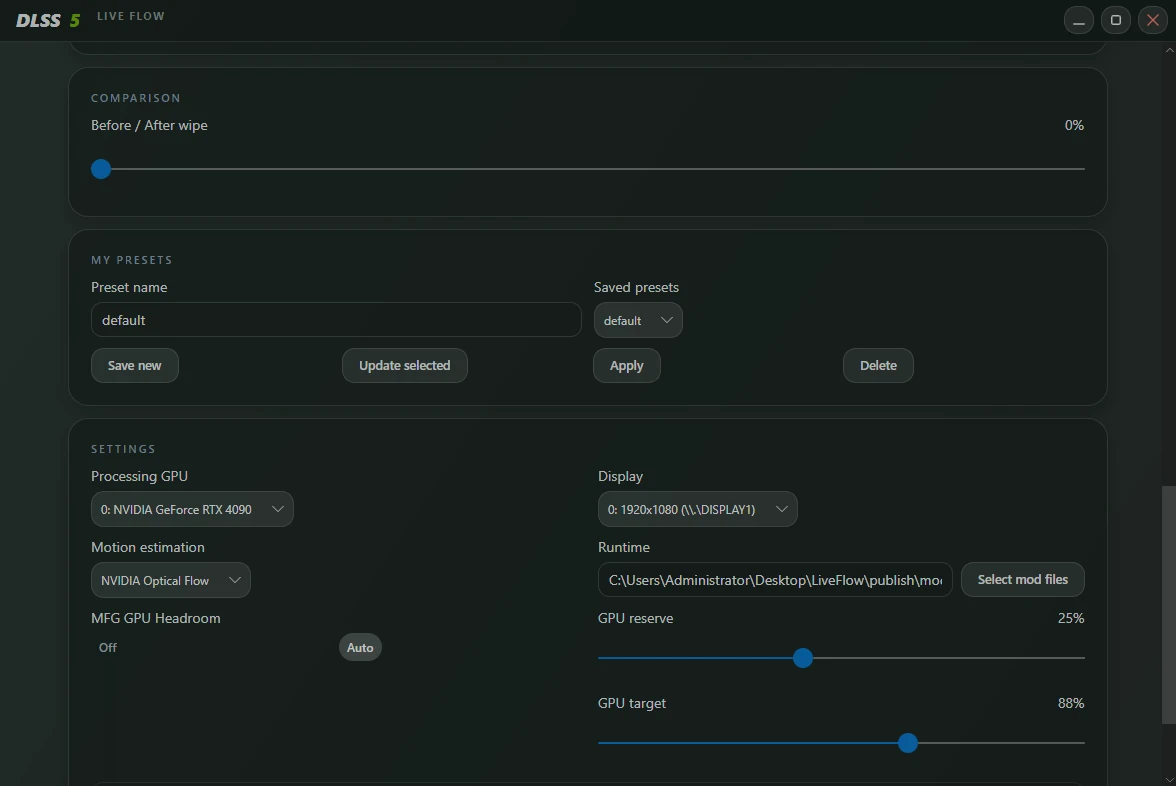
Save your settings, apply them in one click – and let each game load its own preset automatically.
Input FPS, display FPS, worker time, GPU load and pipeline latency, right in the panel and in the on-screen overlay.
Recommends the multiplier that fits your refresh rate – on a 480 Hz display that is ×4 – and warns when the whole display is the source.
An adaptive GPU target keeps Live Flow from taking the whole card away from the game, plus a low-latency mode and VRR support.

Every setting reacts live. Stack passes, tune sharpness, denoiser and edge smoothing, and pick the network resolution that suits your GPU.

Try it right here – move the sliders and watch the frame change. In Live Flow the same controls act on your game or video in real time.
Generate extra frames between the real ones. Choose ×2 up to ×6, with an automatic frame limit that keeps the pacing even.
Slow-motion preview – every step is one frame · Generated frames fill the gaps between two real ones
Example with a 60 fps source. Results depend on your GPU, display and game.
Save a look, apply it in one click. Or store settings per game – pick that game window as the source and its preset loads automatically.

Global hotkeys and a small on-screen overlay – no alt-tabbing.
Show or hide the live FPS and telemetry overlay.
Flip the effect instantly to compare. A short notice confirms the state.
Step the multiplier up or down from anywhere.
Any RTX card with Optical Flow support – RTX 20, 30, 40 and 50 series. Developed and tested on an RTX 4090.
With a current NVIDIA driver. Works on any game window or whole display – no game integration needed.
Live Flow is an overlay: it only processes the picture on screen. No injection into the game, no memory access, no changed game files.
The Manager is a Windows app (C#, Avalonia, .NET 8). The source, build script and changelog are on GitHub.
Windows · NVIDIA RTX 20-series or newer · direct download (.rar)